
Top Embedded PC Manufacturers for Global Buyers

Selecting an Embedded Pc manufacturer involves more than comparing processor speeds or enclosure sizes. Global buyers must consider operating temperature, vibration resistance, power draw, and the interfaces required by their equipment. A compact computer beside a production line may face dust, heat, and limited ventilation. A system installed in a vehicle may need secure mounting and stable operation during vibration. Details matter.

This guide introduces manufacturers serving international markets and explains what buyers should examine before requesting a quotation. Look for clear product specifications, realistic lead times, documented quality processes, and technical support across relevant regions. Ask how a supplier handles component changes, firmware updates, and long product lifecycles. These questions can reveal practical differences that a catalog rarely shows.

A familiar brand is not always the best fit. Neither is the lowest bid. The right choice depends on workload, installation environment, budget, and support needs. Buyers should verify claims through datasheets, sample testing, and direct discussions with engineering teams. Availability and service can vary by destination, so confirm them for the intended market. This overview is a starting point, not a substitute for technical evaluation. Some comparisons will remain imperfect because manufacturers publish different levels of detail. That limitation deserves attention. By weighing measurable specifications alongside service and supply continuity, global buyers can build a shortlist that reflects real project requirements rather than marketing language.
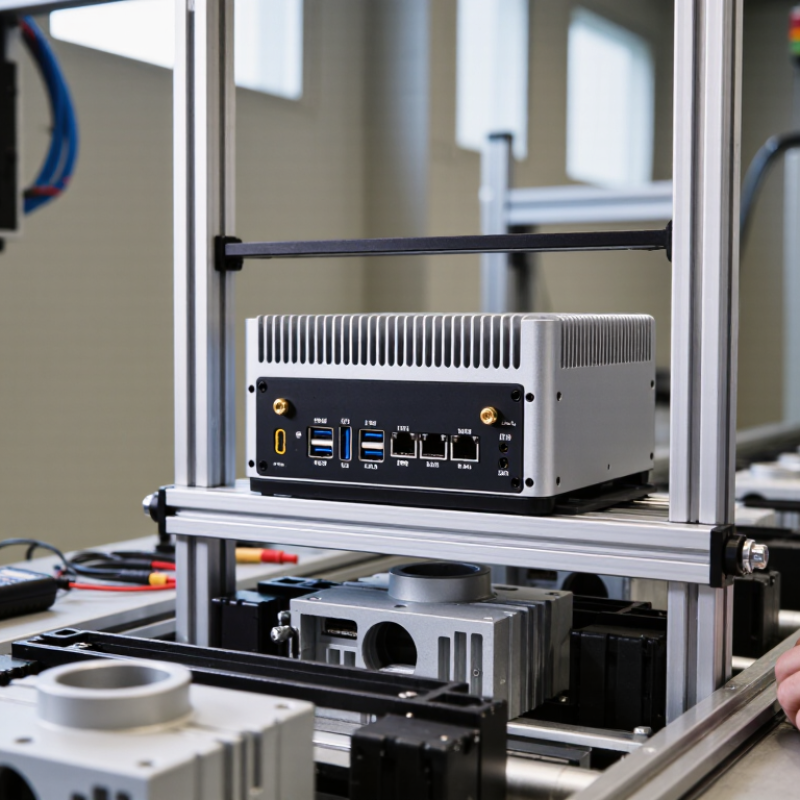
Top Embedded PC Manufacturers for Global Buyers

What Embedded PCs Are and How They Differ from Standard Computers

An embedded PC is a computer designed to perform a specific role inside a machine or system. It may read sensors, control a conveyor, or display data on a factory floor. One task, repeated. A standard computer is built for broader use, such as running office software, browsing, and supporting changing workloads. Embedded models often prioritize compact size, stable operation, and connections for equipment. Some use fanless cooling, which reduces moving parts but can limit performance in hot, dusty enclosures. The difference is practical, not absolute: an embedded PC can run familiar software, while a standard computer can be fixed to one task.

IDC’s Worldwide Edge Spending Guide estimated global edge-computing spending would reach $232 billion in 2024, a 15.4% increase over 2023. This figure covers a broad category, not embedded PCs alone. It helps explain why more computing happens near machines, where quick responses and reduced network dependence matter. Consider a packaging line: a compact computer can process camera images beside the equipment instead of sending every frame elsewhere. Yet choosing one involves trade-offs. Check operating temperature, input/output ports, mounting, and support lifespan—not just processor speed. The label “embedded” can be vague, and specifications do not always show how a unit behaves after years of vibration and heat.

Key Criteria for Comparing Embedded PC Manufacturers

Comparing embedded PC manufacturers starts with the intended workload, not a headline processor speed. Check supported operating temperatures, vibration tolerance, and available mounting options. A fanless unit may suit a dusty cabinet, but heat still needs an escape path. Small details matter.

Ask for clear lifecycle and change-control information. How long will the processor, memory, and storage remain available? Can the supplier explain how hardware revisions are documented? These answers help prevent a minor component change from disrupting a validated design. Request test reports tied to the actual configuration, not a similar model.

Reliability also depends on support after delivery. Look for practical troubleshooting guides, response-time commitments, and access to engineers who understand interfaces such as serial ports, Ethernet, and GPIO. Test it under load. Measure temperatures inside the enclosure, then check performance during startup and recovery from power loss. A specification sheet cannot predict every installation; cable routing or a blocked vent may change results. That assumption is easy to miss. Compare sample units in realistic conditions, and record what still needs verification before ordering at scale.

Top Embedded PC Manufacturers for Global Buyers - Key Criteria for Comparing Embedded PC Manufacturers

Comparison Criterion What to Compare Evidence to Request Why It Matters to Global Buyers
Product range and configuration Available processor platforms, memory and storage options, I/O, expansion, and enclosure formats. Current product specifications, configuration guides, and written confirmation of supported options. A close fit can reduce integration work and avoid paying for features the application does not need.
Environmental operating limits Specified operating temperature, humidity limits, shock and vibration ratings, and cooling requirements for the exact configuration. Datasheets and test reports that identify test conditions and the applicable system configuration. Environmental suitability depends on the deployed unit and installation conditions, not just the product family name.
Product lifecycle and change control Product availability, change-notification practices, component substitution policies, and end-of-life communication. Published lifecycle policy, product-change notices, and written terms for last-time-buy or successor-product planning. Long-lived equipment may need consistent configurations and a documented transition plan when components change.
Certifications and market access Applicable safety, EMC, radio, and environmental requirements for the product and destination market. Certificates or declarations for the exact model and configuration; confirm whether approval covers the finished system. Regulatory obligations vary by product, configuration, intended use, and country or region.
Operating-system and software support Supported operating systems, drivers, firmware updates, deployment tools, and security-update practices. Compatibility lists, driver release history, update documentation, and support-policy details. Software compatibility and maintenance affect system validation, security, and long-term serviceability.
Customization and engineering support Options for BIOS or firmware configuration, enclosure changes, I/O customization, and engineering assistance. Scope, minimum order quantities, non-recurring engineering charges, sample schedule, and ownership terms. Custom work can address application needs, but may add cost, validation effort, and supply-chain dependencies.
Supply continuity and logistics Production locations, order lead times, export documentation, shipping options, and escalation procedures. Written lead-time estimates, regional delivery terms, continuity plans, and order-status processes. Delivery schedules and import requirements can differ across destinations and may affect deployment plans.
Warranty and after-sales service Warranty duration and scope, repair or replacement process, service locations, and technical-support hours. Warranty terms, return instructions, response targets, and details of regional service coverage. Clear service arrangements help buyers estimate downtime, support costs, and responsibilities after purchase.
Total cost of ownership Unit price, customization, accessories, integration effort, shipping, duties, maintenance, and expected service costs. An itemized quotation with assumptions, exclusions, currency, delivery terms, and volume pricing tiers. Purchase price alone does not capture the costs of deployment, operation, and support over the product lifecycle.

Compare documented specifications and terms for the exact model and configuration; requirements and approvals depend on the intended application and destination market.

Major Embedded PC Manufacturers and Their Product Portfolios

Embedded PC manufacturers usually build portfolios around processor performance, physical size, and operating conditions. Their ranges may include compact fanless computers, modular systems, rugged units, and boards for integration into larger equipment. A fanless model can suit a dusty production floor, while a rack-mount system may fit a control room. Heat matters. Buyers should compare operating temperature, power input, and available cooling before choosing.

Product lines often span entry-level computers for data collection and higher-performance models for machine vision or edge analytics. Common options include different processor generations, memory capacities, storage formats, and input/output connections. A system with serial ports and digital inputs may connect directly to older machinery. Another may offer faster networking and expansion slots for cameras or accelerators. Check the interface. Portfolios can look broad on paper, but one missing connector can require extra hardware.

Manufacturers may also offer carrier boards, accessories, firmware support, and customization services alongside finished computers. These details affect installation time and long-term maintenance. Ask how product revisions are handled and whether replacement units remain compatible with existing mounts and software. A technically strong model is not always the easiest to deploy. Documentation can be uneven, and advertised operating limits do not replace testing in the actual enclosure. Review the specifications, then validate the system under realistic workload and temperature conditions.

Global Availability, Certifications, and Technical Support

For global buyers, an embedded PC is useful only if it can be supplied and supported where it will operate. Check whether the manufacturer ships to your destination, maintains regional inventory, and provides clear lead-time estimates. Ask about replacement units, spare parts, and repair routes before approving a design. Availability matters.

Request current compliance documents for the exact model and configuration, not a similar product family. Check that certificates match your target market and intended installation; requirements can vary by application. Technical support should include documented response times, firmware access, and engineers familiar with BIOS settings, thermal limits, and interfaces. A polished datasheet is not enough. Test the support process with a real technical question.

Tips: Keep a sample unit and its configuration record for evaluation. Record the BIOS version, operating temperature, and cable layout. Small details save hours later. Ask who provides end-of-life notices; this step is easy to miss.

Top Embedded PC Manufacturers for Global Buyers — Global Availability, Certifications, and Technical Support

Use certification requirements as part of a model-by-model review. This chart summarizes the number of protection levels defined by IEC 60529 for the two digits in an IP code; it does not rank manufacturers or indicate that any particular product is certified.

In an IP code, the first digit covers access to hazardous parts and protection against solid objects (0–6); the second covers water ingress (0–8). Counts include level 0. Check the exact rating and applicable market certifications for each product.

How to Select a Manufacturer for a Specific Application

Selecting an embedded PC manufacturer starts with the application, not a catalog ranking. A unit inside a machine cabinet near motors faces different demands from one used at an inspection station. Record ambient temperature, vibration, mounting space, ports, and daily operating hours. These details help you compare cooling design, connector retention, processing capacity, and service access. Ask for the conditions behind thermal and vibration test results. A temperature range means little without context.

Check product lifecycle, documentation, and support response times before committing. Confirm that the manufacturer can provide stable configurations and clear change notices. If the PC will connect to cameras, sensors, or legacy equipment, verify interfaces using your actual devices. A short pilot run can reveal cable clearance, boot delays, or heat buildup that a specification sheet misses. I have seen selection plans focus heavily on processor speed; that can be a mistake when maintenance access is the real bottleneck. No checklist catches everything.

Tips: Request a sample unit and test it in the intended enclosure. Keep a written list of must-have ports and acceptable substitutions. Also ask who handles firmware updates.

Article Source: